

Step-by-Step
1. Navigate to https://app.resplendentdata.com/data-management/datasets
2. Click in the search field

3. Type “tickets” and hit enter
4. Click “Tickets – Base”

5. Click on the link icon
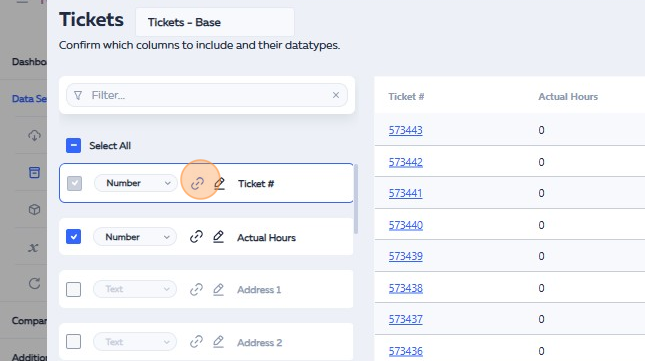
6. Click delete.

7. Click Link icon again.

8. Click the “https://example.com/” field.

9. Type in “https://mtx.link/”
10. Click “Add Data”
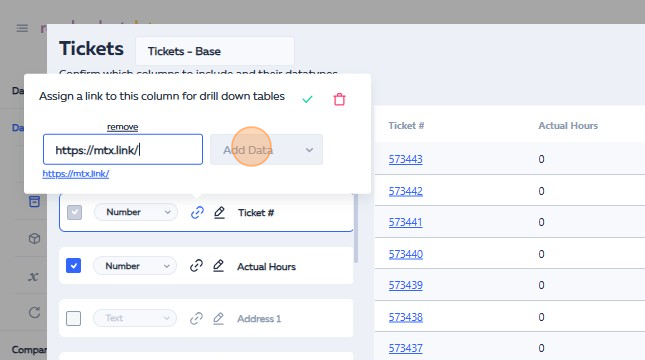
11. Click “Add Column”

12. Click here.

13. Click “Ticket #”

14. Click here.
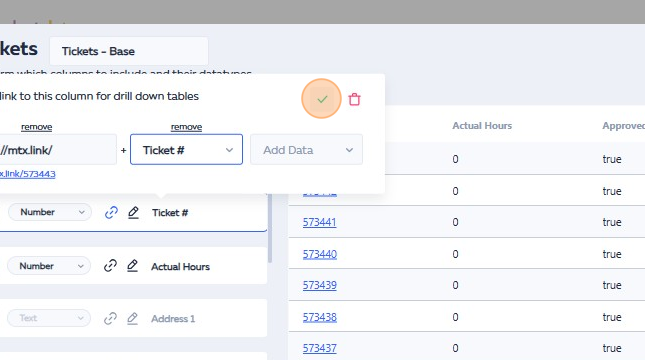
15. Click “SYNC & CLOSE”
